Import Events from EventBrite
Overview
Import your existing events from EventBrite to Events121 platform. You'll need your EventBrite private token to authenticate API requests.
Getting Your Private Token
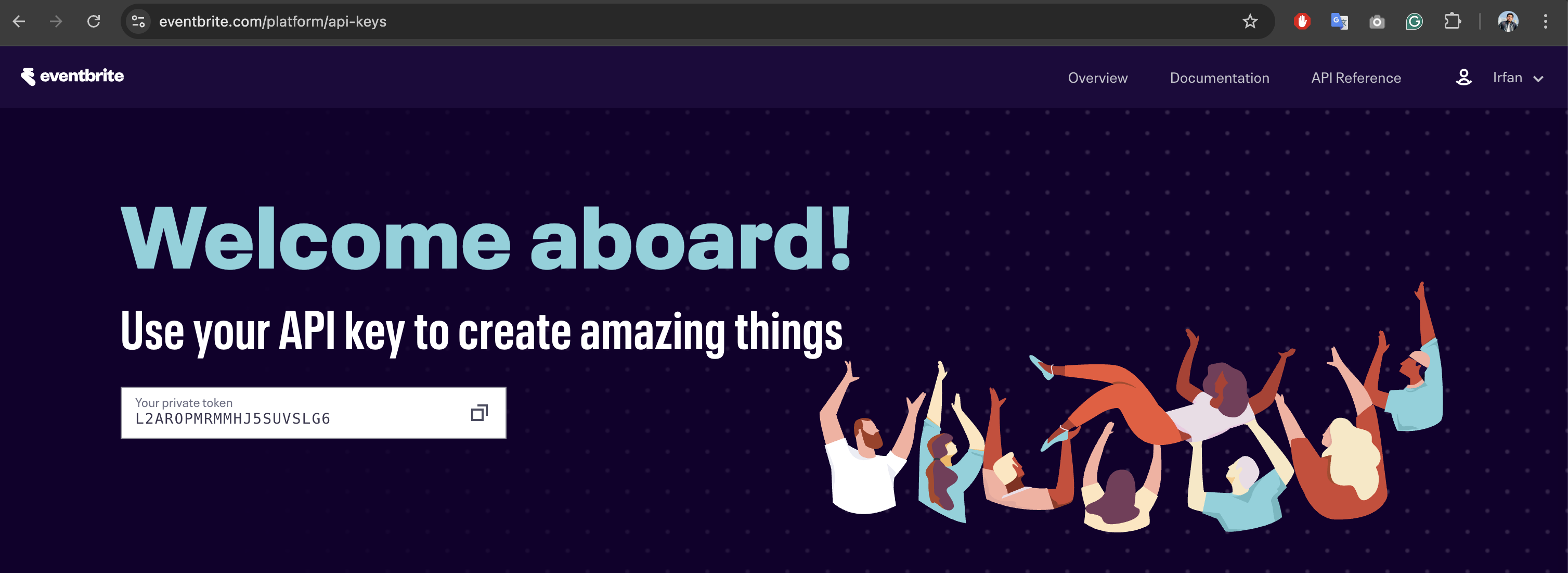
Step 1: Access API Keys Page
- Log in to your EventBrite account
- Go to API Keys page
- Your private token will be displayed there
Step 2: Copy Your Token
- Copy the private token shown on the page
- ⚠️ Keep it secure - never share this token publicly
Security Best Practice
Store your private token securely and never share it with anyone.
Next Steps
- Copy your private token from EventBrite API keys page
- Add token to Events121 integration settings
- Start importing your events
Need Help?
Contact our support team if you encounter any issues during the import process.