Import Events from TicketTailor
Overview
Import your existing events from TicketTailor to Events121 platform. You'll need your TicketTailor API key to authenticate API requests.
Getting Your API Key
Step 1: Access Box Office Settings
- Log in to your TicketTailor account
- Go to Box Office API Settings
- Your API key will be listed in the API section
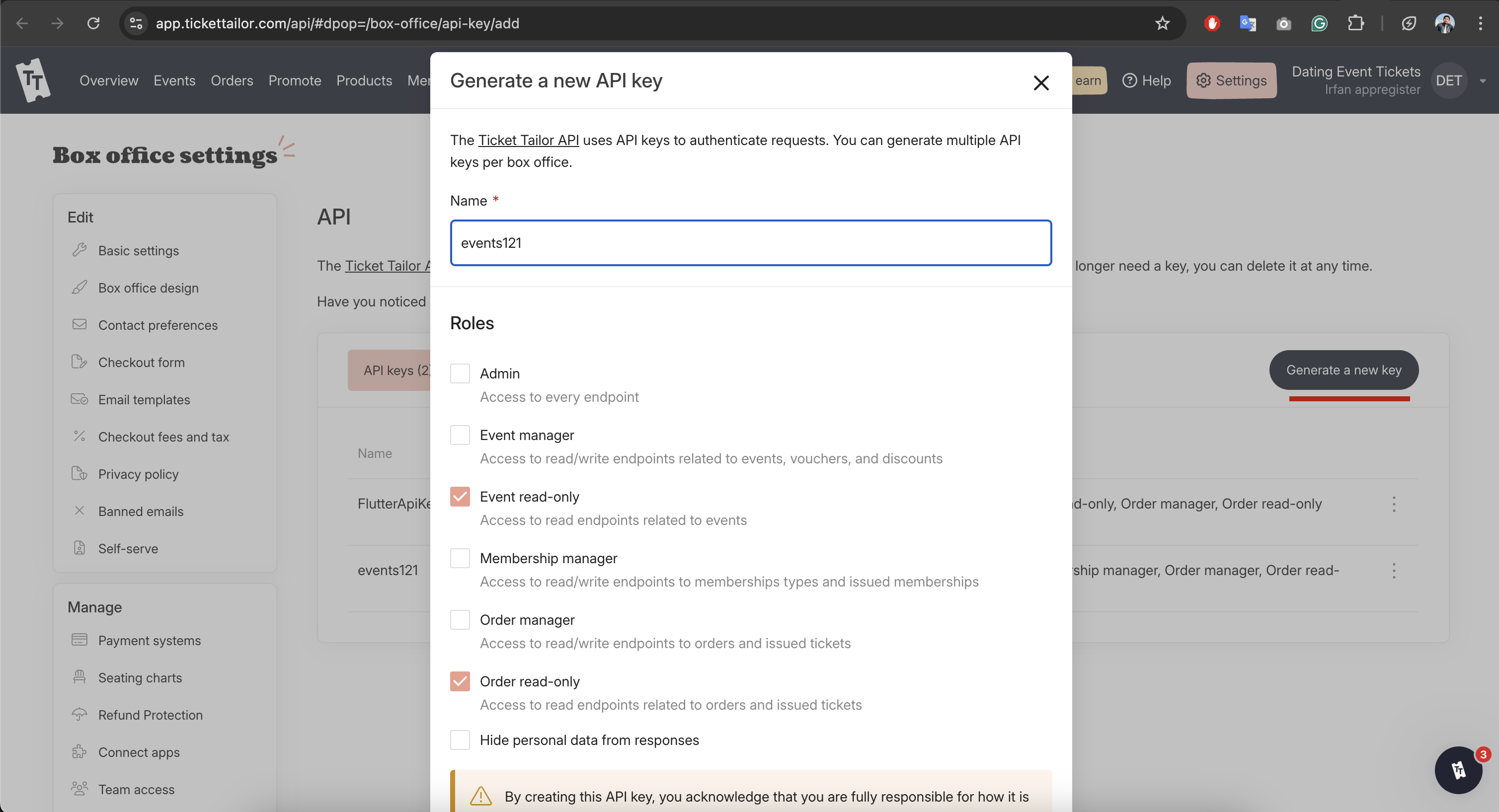
Step 2: Copy Your API Key
- Copy the API key from the settings page
- ⚠️ Keep it secure - treat this like a password
- API keys are tied to your specific box office
Box Office Scope
Each API key can only access data from the box office that issued it. Create separate keys for different box offices.
Next Steps
- Copy your API key from TicketTailor box office settings
- Add API key to Events121 integration settings
- Start importing your events
Need Help?
Contact our support team if you encounter any issues during the import process.